Financial Breakdown
How To Use PropLytics
The Financial Breakdown provides an editable, structured view of a property’s financials so you can model performance using your own assumptions.
Overview
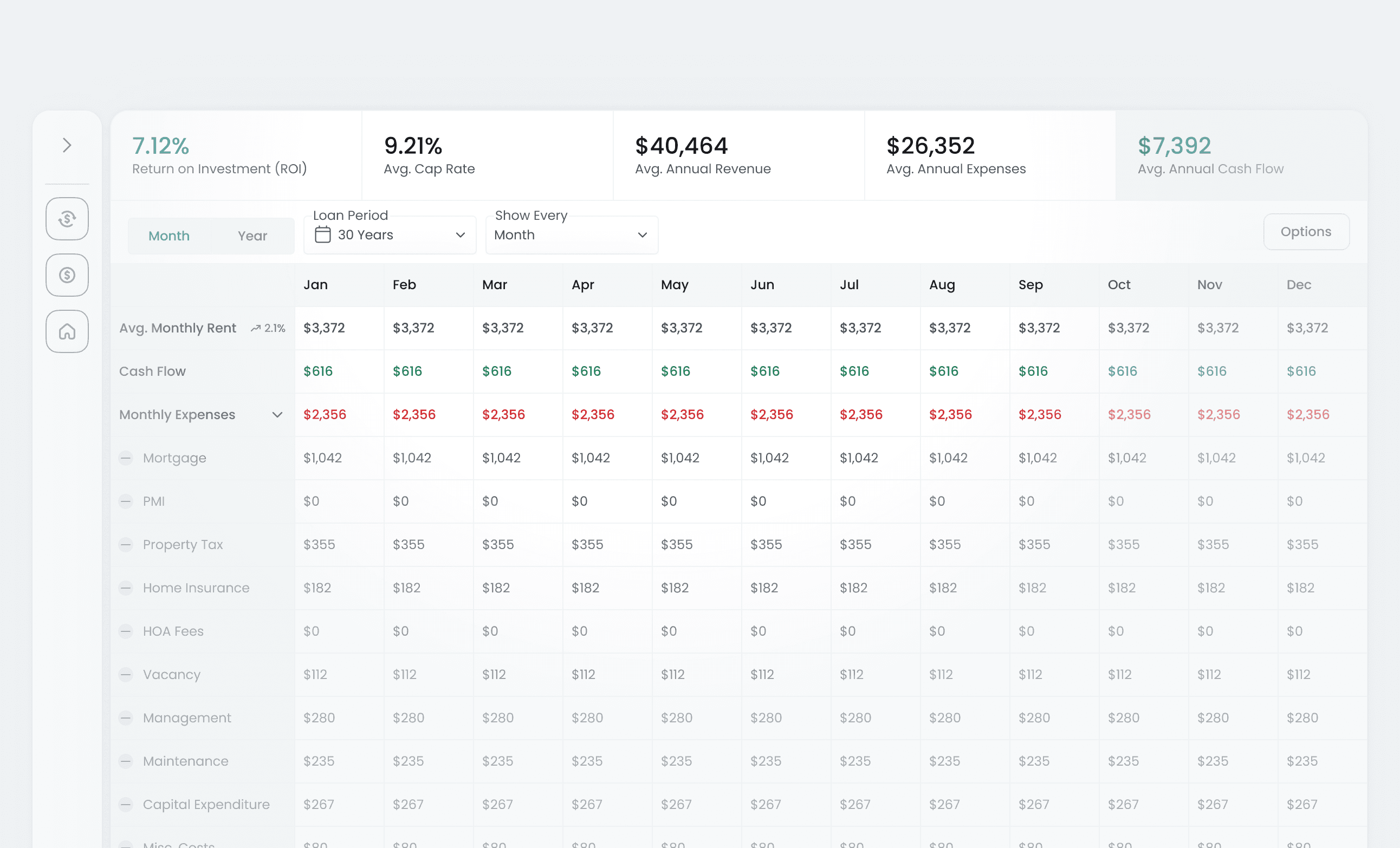
The Financial Breakdown consolidates income, expenses, vacancy, financing inputs, and calculated returns into a single interactive table. All values can be adjusted, allowing you to evaluate how changes impact overall performance.
This feature supports consistent financial analysis while giving you full control over assumptions and outputs.
Overview
The Financial Breakdown consolidates income, expenses, vacancy, financing inputs, and calculated returns into a single interactive table. All values can be adjusted, allowing you to evaluate how changes impact overall performance.
This feature supports consistent financial analysis while giving you full control over assumptions and outputs.
How it works
1. Open a property
Find a property you are interested in and scroll down to access its Financial Breakdown.
2. Review baseline values
Financial inputs are prefilled using PropLytics data or the financial config set on the discovery page to model the properties financials.
3. Edit financial inputs
Adjust values such as rent, expenses, vacancy, or financing directly within the table. Dependent metrics update automatically.
4. Evaluate updated performance
Review changes to cash flow, ROI, and other metrics as inputs are modified.
5. Export your analysis
Export the Financial Breakdown as a CSV to save the current model locally.
How it works
1. Open a property
Find a property you are interested in and scroll down to access its Financial Breakdown.
2. Review baseline values
Financial inputs are prefilled using PropLytics data or the financial config set on the discovery page to model the properties financials.
3. Edit financial inputs
Adjust values such as rent, expenses, vacancy, or financing directly within the table. Dependent metrics update automatically.
4. Evaluate updated performance
Review changes to cash flow, ROI, and other metrics as inputs are modified.
5. Export your analysis
Export the Financial Breakdown as a CSV to save the current model locally.
Use cases
Stress-test assumptions
Adjust vacancy, rent, or expenses to understand downside risk.
Compare financing scenarios
Model different loan structures and see how returns change.
Document underwriting decisions
Export financials to retain a record of your modeled assumptions and outcomes; and to compare with other financial structures of the same property
Use cases
Stress-test assumptions
Adjust vacancy, rent, or expenses to understand downside risk.
Compare financing scenarios
Model different loan structures and see how returns change.
Document underwriting decisions
Export financials to retain a record of your modeled assumptions and outcomes; and to compare with other financial structures of the same property
Good to know
Edits do not change source data
Changes apply only to your analysis and do not alter underlying property data.
Calculations update automatically
All dependent metrics recalculate in real time as inputs change.
Exports reflect the active model
CSV exports include all current values and calculated results.
Good to know
Edits do not change source data
Changes apply only to your analysis and do not alter underlying property data.
Calculations update automatically
All dependent metrics recalculate in real time as inputs change.
Exports reflect the active model
CSV exports include all current values and calculated results.