Saved Searches & Notifications
How To Use PropLytics
Saved Searches let you store a set of Discovery filters and automatically track new properties and changes that match your criteria.
Overview
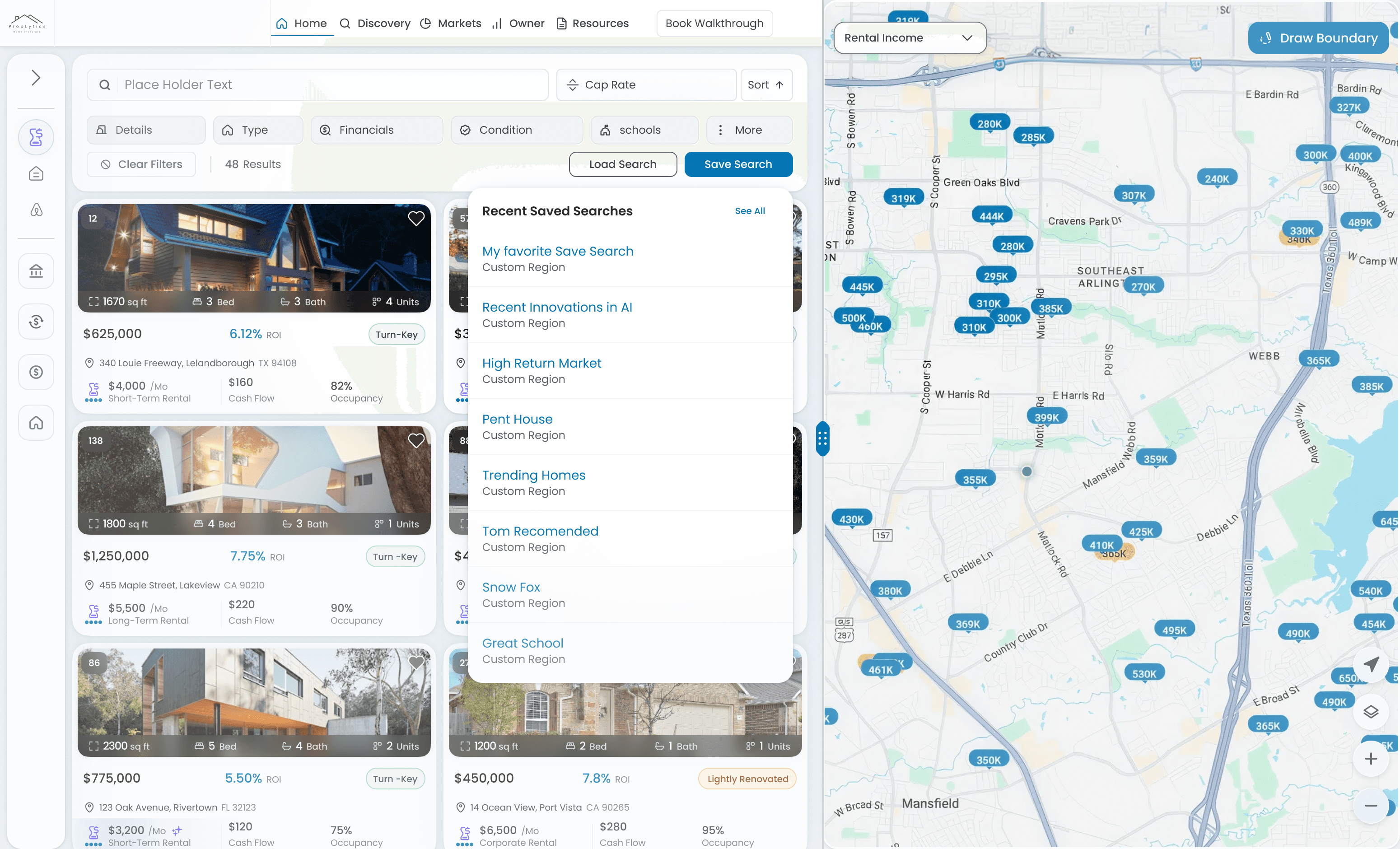
Saved Searches preserve your Discovery configuration—including filters, sorting, and rental strategy—so you can return to the same results without rebuilding your search. Once saved, PropLytics monitors the search and notifies you when relevant updates occur, such as new listings or changes to existing properties.
This allows you to stay up to date on specific markets or strategies while minimizing repetitive setup.
Overview
Saved Searches preserve your Discovery configuration—including filters, sorting, and rental strategy—so you can return to the same results without rebuilding your search. Once saved, PropLytics monitors the search and notifies you when relevant updates occur, such as new listings or changes to existing properties.
This allows you to stay up to date on specific markets or strategies while minimizing repetitive setup.
How To Use It
1. Create a search in Discovery
Start in Discovery by selecting a location and applying filters such as property details, performance metrics, and rental strategy.
2. Refine and sort results
Adjust filters and sorting until results reflect exactly what you want to track.
3. Save the search
Save the search directly from Discovery. The current configuration, including the selected rental strategy, is stored.
4. Revisit saved searches
Access saved searches from your profile or by selecting See all when loading a search. Saved searches reload with the original assumptions and metrics intact.
5. Delete when no longer needed
Saved searches can be deleted from your profile or the saved search list. Existing searches cannot be edited.
How To Use It
1. Create a search in Discovery
Start in Discovery by selecting a location and applying filters such as property details, performance metrics, and rental strategy.
2. Refine and sort results
Adjust filters and sorting until results reflect exactly what you want to track.
3. Save the search
Save the search directly from Discovery. The current configuration, including the selected rental strategy, is stored.
4. Revisit saved searches
Access saved searches from your profile or by selecting See all when loading a search. Saved searches reload with the original assumptions and metrics intact.
5. Delete when no longer needed
Saved searches can be deleted from your profile or the saved search list. Existing searches cannot be edited.
Use cases
Track a specific buy box
Save a tightly defined search to monitor properties that meet strict investment criteria.
Monitor a market over time
Use broader saved searches to observe pricing and performance changes in a specific area.
Run parallel strategies
Create separate saved searches for different rental strategies or performance thresholds to compare outcomes.
Source opportunities for multiple clients
Set up a saved search with property and financial criteria that align with your clients’ investment goals. PropLytics monitors the search and notifies you when new or updated listings meet those requirements, allowing you to surface relevant opportunities to multiple clients as soon as they appear.
Use cases
Track a specific buy box
Save a tightly defined search to monitor properties that meet strict investment criteria.
Monitor a market over time
Use broader saved searches to observe pricing and performance changes in a specific area.
Run parallel strategies
Create separate saved searches for different rental strategies or performance thresholds to compare outcomes.
Source opportunities for multiple clients
Set up a saved search with property and financial criteria that align with your clients’ investment goals. PropLytics monitors the search and notifies you when new or updated listings meet those requirements, allowing you to surface relevant opportunities to multiple clients as soon as they appear.
Good to know
Saved searches cannot be edited
To change criteria, create a new search based on an existing one with updated configurations.
Rental strategy is preserved
Each saved search remembers whether it was created in Long-Term or Short-Term view.
Notifications follow your frequency settings
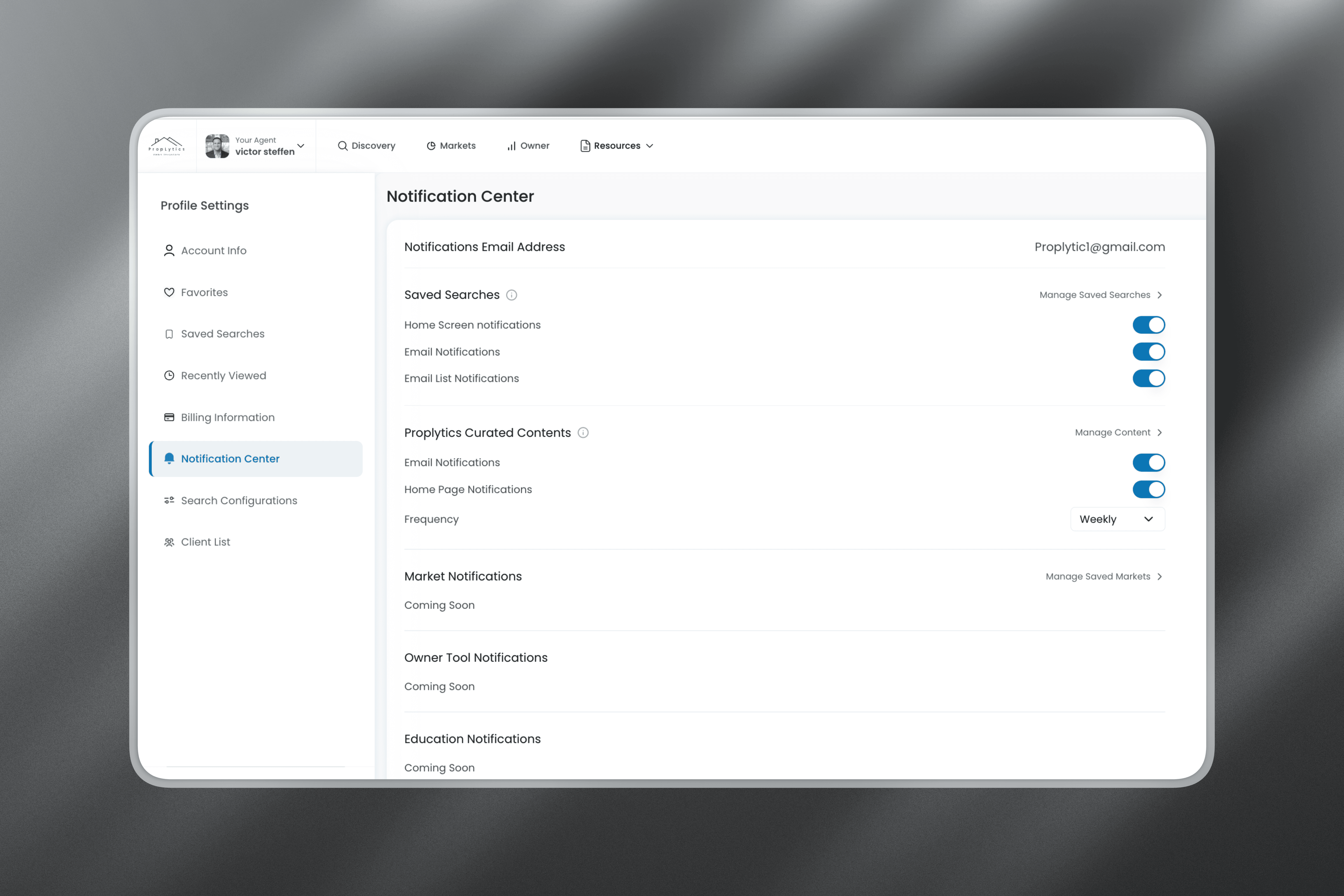
Alerts are sent based on the notification frequency you selected when creating the search.
Good to know
Saved searches cannot be edited
To change criteria, create a new search based on an existing one with updated configurations.
Rental strategy is preserved
Each saved search remembers whether it was created in Long-Term or Short-Term view.
Notifications follow your frequency settings
Alerts are sent based on the notification frequency you selected when creating the search.